knacksnews
Choosing the Right PDF to Image Converter: A Review of 6 Top Picks
Converting PDFs to images can streamline workflows, boost productivity, and make documents more adaptable. Whether you're preparing presentations, designing illustrations, or sharing PDFs in a more accessible format, having a reliable PDF to Image converter is essential. With numerous tools available, selecting the right one can be challenging. Some converters offer quick, no-frills solutions, while others provide advanced customization and batch processing.
The ideal choice depends on your needs—whether it’s high-quality output, ease of use, or affordability. This article presents a detailed review of 6 standout PDF to Image converters, highlighting their key features, efficiency, and usability to help you make an informed decision based on your specific requirements.
Best 6 PDF to Image Converters for You
Here are 6 of the best PDF to image converters that can help you convert your PDF files into high-quality images efficiently, ensuring accuracy, fast processing, and multiple format support for seamless conversion across various devices and operating systems.
Adobe Acrobat Pro DC: Industry Standard
Adobe Acrobat Pro DC is generally accepted as having extensive PDF management features. Its Image conversion is outstanding, with features like JPEG, PNG, BMP, and TIFF, while achieving high-quality results. This option is best suited for professionals who require accurate control over conversion parameters like resolution and compression ratio. Its compatibility with other Adobe tools makes it a worthy addition to designers' and businesses' arsenals.
Its OCR function extracts text from scanned documents as well, making it even more versatile. Nonetheless, Adobe Acrobat Pro DC is subscription-based, so it is expensive for infrequent users. Although expensive, its precision, speed, and ability to customize make it the most suitable solution for quality PDF to Image conversions.
Smallpdf: Simple and Quick
Smallpdf is a web PDF-to-image converter suitable for rapid and simple file processing. It permits the upload of PDFs and converts them to image types like JPEG and PNG in seconds. Its minimal and simple interface simplifies it for non-technical individuals. It is most appropriate for individuals requiring infrequent conversions without the download of software.
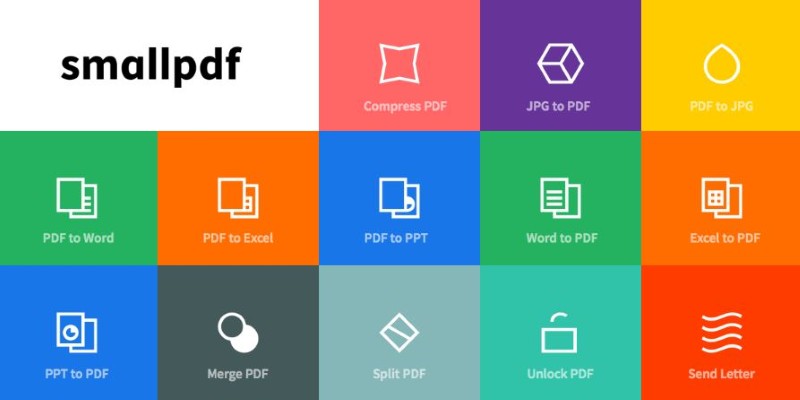
While the free version limits the number of conversions per day, a paid plan unlocks additional features, including unlimited usage. Smallpdf ensures that image quality is preserved, making it a great option for basic conversions. However, it lacks advanced editing or batch conversion features, making it more suitable for casual users than professionals.
PDF2Image: Fast and Free
PDF2Image is an efficient and free PDF to Image converter that supports multiple output formats, including JPEG, PNG, and TIFF. It operates entirely online, eliminating the need for software installation. The tool is well-suited for users who require quick conversions with minimal effort. It produces high-quality images while retaining the clarity of text and graphics. One of its main advantages is its straightforward user experience—simply upload a PDF and download the converted images.
However, the free version imposes file size limits, and users requiring batch conversion or higher file processing capabilities may need to upgrade to a paid plan. PDF2Image is a great choice for occasional users looking for a fast, no-cost solution.
PDFelement: Affordable with Plenty of Features
PDFelement offers an affordable yet feature-rich PDF to Image conversion tool. Supporting various image formats like JPEG, PNG, and TIFF ensures that the converted files retain the original document's integrity. Unlike subscription-based alternatives, PDFelement provides a one-time purchase model, making it cost-effective. It also includes batch processing, allowing users to convert multiple PDFs at once.
Additionally, its OCR feature enables text extraction from scanned PDFs, making it useful for digitizing documents. The tool’s intuitive interface makes navigation simple, even for beginners. While the free version has limitations, the paid version unlocks full functionality. PDFelement is ideal for those seeking an affordable yet powerful alternative to premium software.
Zamzar: Quick and No Installation Needed
Zamzar is a free, web-based converter supporting over 1,200 formats, including PDF to Image conversion. It simplifies the process by allowing users to upload PDFs and receive converted image files within minutes. This tool is ideal for those who need a fast and hassle-free solution without installing software. Zamzar supports formats like JPEG and PNG and maintains a reasonable image quality.
However, free users face limitations such as file size restrictions and a slightly slower processing time. The premium version removes these restrictions and provides faster conversions. While it lacks advanced customization features, Zamzar remains a solid choice for users who occasionally need to convert PDFs into images without extra tools.
Icecream PDF Converter: User-Friendly with Customization
Icecream PDF Converter is a desktop tool that allows users to convert PDFs into high-quality image formats such as JPEG, PNG, and BMP. Its interface is simple and beginner-friendly, making it an accessible option for non-technical users. The software supports batch conversions, allowing multiple PDFs to be processed at once. Additionally, it provides customization options, including image resolution and output quality settings.
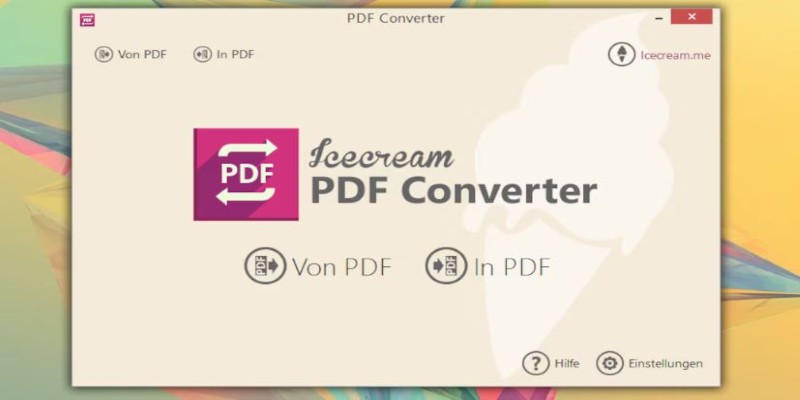
While the free version has limitations on the number of files processed, the paid version removes these restrictions and enhances performance. Unlike online converters, Icecream PDF Converter offers an offline solution, making it suitable for users who need frequent conversions without relying on an internet connection.
Conclusion
Choosing the right PDF to Image converter depends on your needs, budget, and workflow. Adobe Acrobat Pro DC remains the gold standard for professionals requiring precision and advanced features, while Smallpdf and PDF2Image offer simple, free solutions for quick conversions. PDFelement provides a cost-effective alternative with batch processing and OCR capabilities. Zamzar is perfect for online users needing occasional conversions, while Icecream PDF Converter offers offline functionality with customization options. Whether you need high-quality conversions, batch processing, or a free tool, these 6 converters offer reliable solutions to meet various demands. Pick the one that best fits your workflow.
Related Articles

Which Are The Best Note-Taking Apps for Windows: Top Picks for 2025

How to Add New Google Calendar Events to Notion: A Step-by-Step Guide

How CoverDoc Uses AI to Revolutionize Cover Letter Writing for Job Seekers

How to Use Scheduling Assistant in Outlook: A Step-by-Step Guide

6 Ways to Automate Content Marketing with Jasper: Save Time and Boost Results
The 11 Best CRMs for Small Business: Streamline Your Workflow in 2025

Understanding CMMS: What It Is, Its Uses, and Essential Software Tips
Top 5 Online Services to Convert WMV to MP4 Without Hassle
How to Convert 4 JPG to BMP: Easily Decode Compressed Images into Uncompressed Files
5 Proven Ways to Automate WordPress and Streamline Your Website Management
Effortless Ways to Extract a Freeze Frame from a Live Photo