knacksnews
The Best Dictation Software: Transforming How You Work and Communicate
Although typing can be slow and demanding, speech-to-text software makes turning spoken words into written text simple. Whether your work is professional, student, or creative, these technologies enable you to dictate rather than type, therefore increasing output. Many speech-to-text apps can precisely transcribe words with advanced AI-powered recognition, even changing your voice over time.
There is software for every requirement, from free choices like Google Docs Voice Typing to paid tools like Dragon Professional. While some operate offline, others interact with programs, including Microsoft Word and Zoom. This article contrasts leading speech-to-text programs, stressing their characteristics, advantages, and drawbacks so you may select the finest one for your particular need. Find the instrument that best fits your working process.
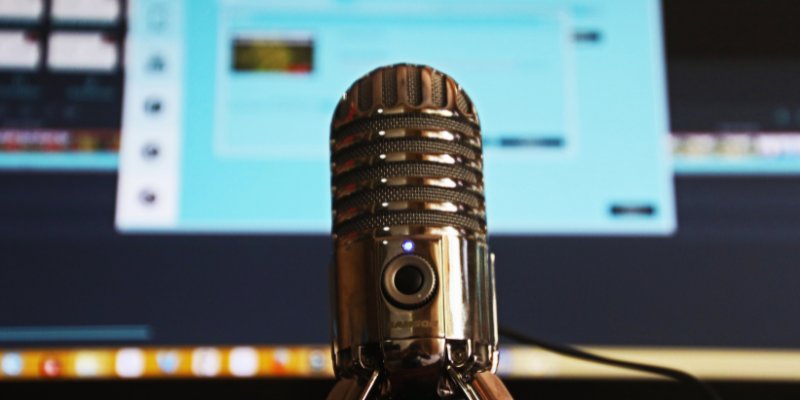
The Best Dictation Software of 2025
Below are the top dictation software options for 2025, offering advanced features, high accuracy, and seamless voice-to-text conversion.
Microsoft Word Speech to Text
One built-in dictation option accessible to Microsoft 365 customers is Microsoft Word Speech to Text. It makes creating documents hands-free and simple by letting users speak text straight into Word. The tool supports several languages and voice instructions for formatting—bold, italics, and punctuation, among other things. Working both online and offline gives consumers freedom. However, it calls for a Microsoft 365 subscription, which might not be perfect for someone seeking a free solution. Its accuracy also depends on background noise and speech, so users would have to adjust following dictation.
Dragon Professional Individual
The premium dictation tool Dragon Professional Individual is meant to enhance speech recognition and accuracy. It uses AI-powered learning to change a user's speech over time, therefore improving its accuracy to up to 99%. For writers, attorneys, and doctors who demand accuracy, this makes it a wonderful option. The program also enables bespoke vocabulary, therefore facilitating the industry-specific term dictation process. It interacts with other programs to enable flawless workflow control. But it has a hefty price tag and must be purchased once only. New users could also have to wait time training the program for the best outcomes.
Dragon Anywhere
Designed for iOS and Android, Dragon Anywhere is a mobile-friendly dictation tool. It provides infinite dictation so users can freely transcribe lengthy materials. Perfect for professionals who must alternate between desktop and mobile devices, the program synchronizes with Dragon Professional. It offers real-time transcribing and uses copy-paste capability to interact with outside programs. However, it runs on a subscription-based approach, which, over time, can get costly. It also requires an internet connection. Hence, users cannot access it offline, which could be awkward in some circumstances.
Google Docs Voice Typing
When using the Google Chrome browser, Google Docs Voice Typing is a free dictation tool that is accessible inside Google Docs. Convenient for quick note-taking and document generation, it lets users speak and translate words into text. The utility also supports several languages and voice commands for formatting, including bullet points and font style change adjustment. Students and casual users who do not require a professional-level dictating tool can especially benefit from it. For thorough or technical writing, though, its accuracy is less than that of better options. It also requires an internet connection, thereby limiting access when working offline.
Otter
Designed for conferences, seminars, and interviews, Otter Otter is a real-time transcription tool driven by artificial intelligence. It is quite useful for students and business workers since it fits with systems like Zoom, Google Meet, and Microsoft Teams so effortlessly. The program creates searchable transcripts and artificial intelligence-based summaries so users may quickly study important areas. Its cooperation tools let team members easily alter and distribute transcripts. Some of its sophisticated tools, meanwhile, are only accessible with a paid subscription. Strong accents or low audio quality may also cause the program to falter occasionally in transcription.
Apple Dictation
Apple Dictation is a built-in speech-to-text utility that is available on macOS and iOS devices. Using Siri's voice recognition technology, users may create notes, messages, and text into emails and letters. For consumers who may not always have internet connectivity, the Enhanced Dictation function offers offline capability. For Apple customers who require simple dictation, it is a fantastic choice since it comes free and pre-installed. However, it only covers Apple products; hence, users of Windows and Android cannot access it. Furthermore, it could not be as precise for lengthier texts, which calls for hand edits even if it works well for brief dictations.
Braina Pro
Functioning as both a speech-to-text tool and virtual assistant, Braina Pro is an artificial intelligence-powered dictation and voice control tool. It lets consumers run voice commands outside of simple dictation, search the web, and control programs. For people who wish a hands-free computer experience, this makes it perfect. The program provides great accuracy following training and supports outside apps. It is a paid program, though, which might not appeal to those seeking a free substitute. Furthermore, it is less well-known than Dragon, which implies fewer user evaluations and community support.
SpeechTexter
Free, web-based dictation tool SpeechTexter supports more than 60 languages. Designed for rapid and simple dictation, it is a sensible option for consumers looking for a portable, easily available tool. It also lets users add formatting commands and punctuation, therefore enhancing the flow of required content. It cannot be used offline, though, as it is a browser-based utility and depends on an internet connection. It is also less appropriate for professional work where accuracy is crucial since it is less than that of premium dictation programs.
Conclusion:
Your needs, money, and device compatibility will all affect the speech-to-text program you choose. Although Dragon Professional comes at a premium, it provides top-notional precision. Though they need an internet connection, Google Docs Voice Typing and Speech Texter are excellent free choices. Apple Dictation fits Apple users; Otter is perfect for gatherings. Additional capabilities, including voice commands, come from Braina Pro and Microsoft Word Speech to Text. Every tool has advantages and drawbacks, so prioritize accuracy, cost, or convenience depending on what is most important. Through voice dictation, the correct program will help you to increase productivity, speed up work, and enhance communication.
Related Articles
Best Image to PDF Converters for Desktop: 6 Top Picks
How to Personalize and Scale Your SMS Marketing with EZ Texting
Unlocking Serial Communication: Free Tools for Debugging

Which Are The Best Note-Taking Apps for Windows: Top Picks for 2025

How to Use Tags and Labels to Organize Your Files: A Step-by-Step Guide
Top 5 Online Services to Convert WMV to MP4 Without Hassle
How to Easily Print Contracts with ezeep Blue: A Complete Guide
Top 5 Efficient Ways to Convert WMV to MOV on Windows

Which Are The 5 Best Calendar Apps for Mac to Organize Your Life in 2025
How to Turn an Image into an STL for the Best Stereolithograph in 3D Printing

Transform Your Photos into Artistic Sketches with the Best Sketch Editor