knacksnews
How to Set Up an Automatic Out-of-Office Notification Bot: A Step-by-Step Guide
Configuring an automatic out-of-office alert bot guarantees that no email remains unopened while you are away. An auto-response tells senders when to expect a reply, whether you're on vacation, at a conference, or just not available. It keeps lines of communication clear, saves time, and lessens stress. A well-designed out-of-office bot serves purposes beyond just delivering a basic message.
It can offer substitute contacts, filter critical emails, or interact with Slack or other messaging apps. While automation tools allow for sophisticated customizing, many email services include built-in auto-reply options. This guide will walk you methodically through setting up an out-of-office bot. Whether your demands call for Gmail, Outlook, or a chatbot, you'll find the best approach. Use these simple guidelines to remain professional and maintain contact even during your absence.
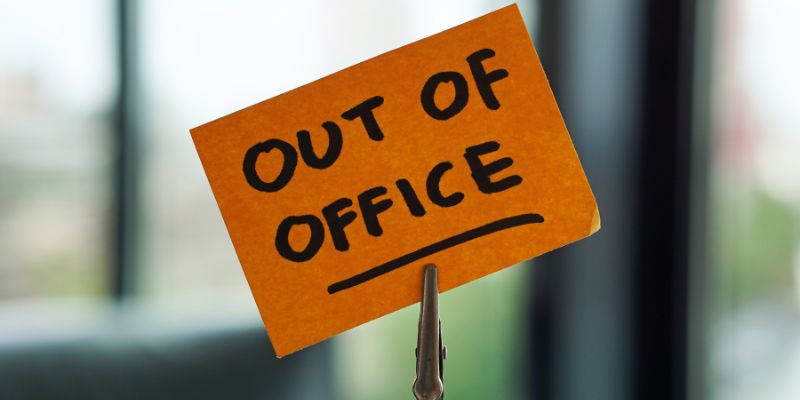
Set Up an Automatic Out-of-Office Notification Bot
The following describes how to create an automatic out-of-office notice bot to guarantee seamless correspondence even in your absence. Follow these steps depending on your chosen platform and particular needs to set up an auto-response system using built-in email features, automation tools, or chatbots.
Step 1: Choose Your Email Platform
Choose the platform you will be using before configuring an out-of-office bot. Most individuals depend on Gmail, Outlook, or Yahoo Mail for emails. Business users can use solutions like Microsoft Teams or Slack to communicate. Every platform has different auto-replies and set-up procedures. See whether your company permits auto-replies if you use a business email. For security-related reasons, several companies ban automatic responses. Smooth communication depends on selecting the correct platform. Once chosen, you can start configuring your out-of-office notification bot utilizing the platform tools.
Step 2: Enable Auto-Reply in Email Settings
Most email companies provide an automated reply tool. Making an out-of-office bot is easily done in this manner.
For Gmail:
- Open Gmail and visit Settings (gear icon).
- Click See all settings; choose the General tab.
- Scroll to Vacation responder and turn it on.
- Enter the auto-reply start and end dates.
- Type your mail, including your return date.
- Save the modifications.
For Outlook:
- Click File in the top menu after opening Outlook.
- Choose Out-of-Office Automatic Replies.
- Set the start and end dates and activate auto-replies.
- Write your note and click OK.
For basic auto-replies, these built-in tools perform nicely. Their possibilities for personalizing are few.
Step 3: Use an Automation Tool for Advanced Replies
Use automation tools if you demand extra capabilities. These let you create conditions, personalize replies, and interface with other systems. Among the tools often used are Zapier, Microsoft Power Automate, and IFTTT.
Setting up Auto-Reply with Zapier:
- Create a new Zap by registering on Zapier.com.
- Choose your email provider as the trigger app (e.g., Gmail or Outlook).
- Select New Email as the trigger event.
- Choose an action, such as Send an Auto-Reply.
- Create the reply message and save the workflow.
Based on keywords, Zapier may filter emails and forward urgent messages or send varying responses.
Step 4: Create a Chatbot for Out-of-Office Responses
A chatbot can answer if you get messages on tools like Slack or Teams. Chatbots can include further information and respond instantly.
Setting up a Slack Auto-Reply Bot:
- Open Slack and go to Apps.
- Look for a bot like Slackbot or Workbot.
- Make the bot identify particular keywords.
- Get ready with a reply message.
- Test and set the bot.
Teams run on instant messaging will find this helpful. It assures a quick response even while you are overseas. A chatbot can also provide FAQ answers, link users to resources, or escalate serious issues to another contact, ensuring seamless workflow and communication.
Step 5: Customize Your Message for Clarity
Key information should be present in a good out-of-office message. Keep it brief yet educational. Integrate the following:
- Your absences date.
- A brief justification (optional).
- A substitute contact number.
- Your expected return date.
Example of a Professional Auto-Reply:
"Thank you for your email. Currently, I am out of the office from [start-date] to [end-date]. I will respond upon my return. For urgent issues, please contact [alternative contact] at [email]."
Tailor the message to your circumstances. If you deal with urgent problems, list an emergency contact. Describe response times if you work remotely.
Step 6: Test Your Auto-Reply Bot
Test your out-of-office bot to be sure it runs as it should before you go. Send a test email from another account and see if the auto-reply is received accurately. If you use an automated tool, confirm that conditions and filters operate as planned. Adjustments help to prevent mistakes. Test responses in several situations to guarantee proper answers for chatbots. A complete exam guarantees flawless communication by helping to avoid missed or erroneous responses. Knowing your auto-reply bot is set up and running will let you boldly go once everything is in order.

Step 7: Turn Off Auto-Reply When You Return
Turn off your out-of-office bot to prevent misunderstanding when you return to work. Leaving it on could make senders believe you are still unreachable, thereby missing chances or causing delays. Check your email settings to guarantee regular responses start again. Deactivate the workflow if you apply a chatbot or automation technology to stop pointless responses. Review any emails you got while abroad and, if necessary, follow up. Turning off your auto-replacing bot guarantees effective communication and facilitates your return to a regular job.
Conclusion:
Creating an automatic out-of-office alert bot guarantees seamless correspondence even during your absence. It provides alternative contacts and guides senders on when to expect a response. Following these guidelines guarantees efficiency, whether utilizing built-in email auto-replies, automation tools, or chatbots. Turning off your bot when you get back restores normal communication; testing it before you leave helps to avoid mistakes. A professionally written auto-response helps control expectations and preserves professionalism. Smart use of automation helps you to stay organized even when you're not around and to lower stress. These guidelines will help you to create a useful out-of-office bot quickly.
On this page
Set Up an Automatic Out-of-Office Notification Bot Step 1: Choose Your Email Platform Step 2: Enable Auto-Reply in Email Settings Step 3: Use an Automation Tool for Advanced Replies Step 4: Create a Chatbot for Out-of-Office Responses Step 5: Customize Your Message for Clarity Step 6: Test Your Auto-Reply Bot Step 7: Turn Off Auto-Reply When You Return Conclusion:Related Articles
Best Image to PDF Converters for Desktop: 6 Top Picks
Choosing the Right PDF to Image Converter: A Review of 6 Top Picks

How to Set Up an Automatic Out-of-Office Notification Bot: A Step-by-Step Guide
How to Personalize and Scale Your SMS Marketing with EZ Texting
How to Effectively Convert ARW to JPG: 3 Methods You Need to Know

Top 5 Online Services to Convert WMV to MP4 Without Hassle
Merging iPhoto Libraries on Mac: Easy Methods to Keep Your Photos Safe
Fix HEIC Issues: AirDrop JPG from Your iPhone Easily
How to Turn an Image into an STL for the Best Stereolithograph in 3D Printing
Effortless Ways to Extract a Freeze Frame from a Live Photo

How to Detect AI-Generated Text and Photos in a World of Digital Deception